Hi Everyone,
Today we have rounded off the Stagnation chart reporting and have delivered a much-awaited feature: Xero Leave support.
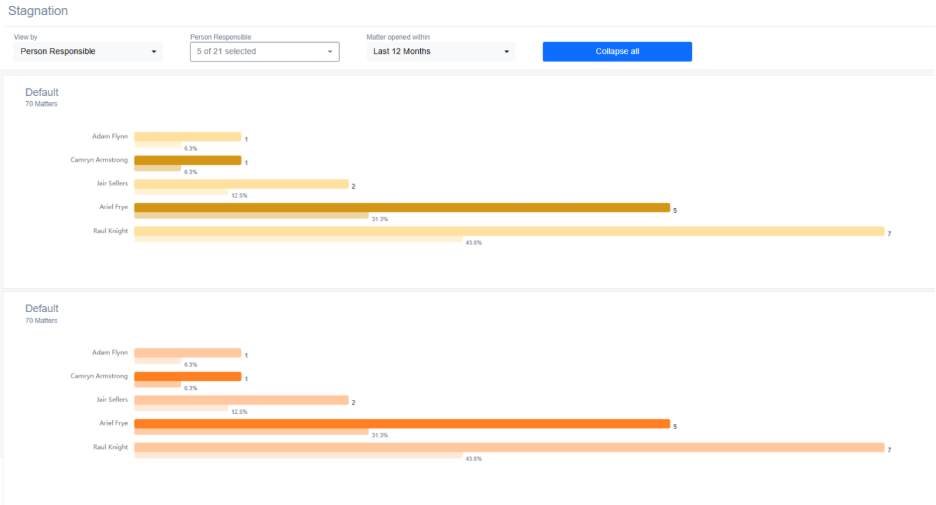
Stagnation Glow up
After some feedback (thank you) we have made some mild changes to the way the page operates:
- We have removed the team member association concept for now. This may return later on, but for now we will just set the default values which are:
- Actionstep – Assigned To
- Smokeball – Responsible
- We have made the filters on the chart page responsive to the view
- Matter type view – matter type filter
- Responsible view – team member filter
- Etc
We have also made the page look nicer with a new look and feel:
- Each chart will have it’s own colour with the colours alternating down the page
- Each “view by” element will also show what % of the whole/total it compromises
- Each chart is now collapsible so you can condense the page
We have added the ability to download the selected view-by elements as an excel spreadsheet.
We will be returning to this page for more enhancements in the future but for now we will be turning our attention to the Portfolio page and we hope you’ll be excited by the results.
Xero Leave Integration – Reduce targets by leave taken (v0.1 BETA)
Our existing Xero integration now also imports leave for all linked individuals.
Using this information we are now able to reduce individual targets by leave taken on a pro-rata basis.
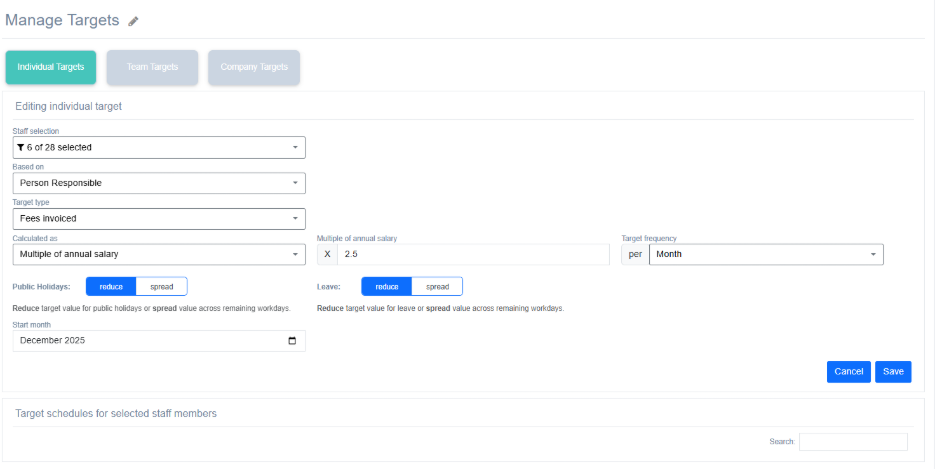
To accommodate this change we have added some new options to both the company customisation and the target creation form.
Reduce and Spread
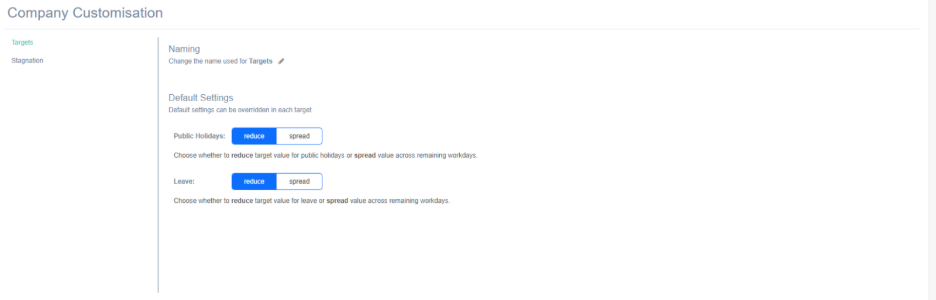
Under Company Customisation > Targets you will now see a new setting which allows you to set the “default” value for any new target for both public holidays and for leave taken (separately).
Your options are to Reduce or Spread the target.
How it works.
When you create a target the system will now assume that this is the target considering there are no public holidays or leave.
Reduce: When you select “reduce” it will reduce the target by either the number of Public Holidays or the number of Whole Leave Days taken in the period, commensurate with the amount of holidays/leave taken.
Spread: When you select “spread” it will still assume that the individual is not there to perform duties on either public holidays or leave and so the system will spread the target out over the remaining days where the individual is there. This has the effect of raising the daily expected actuals for the user to all them to project what they would have to do daily to still get their target achieved in the time they have available.
You can override the default
Setting the default value for your targets has the effect of pre-setting the spread/reduce on each target as it is created. However, you still have the ability to override this default on any given target.
Still in Beta
We are considering this feature to be in beta. The sandbox data coming from Xero is insufficient for us to fully test all scenarios as it relates to type and duration of leave taken in the real world. If you find any discrepancies please contact us.
How to connect to Xero
If you haven’t already connected to Xero and would now like to, here is a handy video explaining the process: https://youtu.be/mL3LhG67CU0
Tom